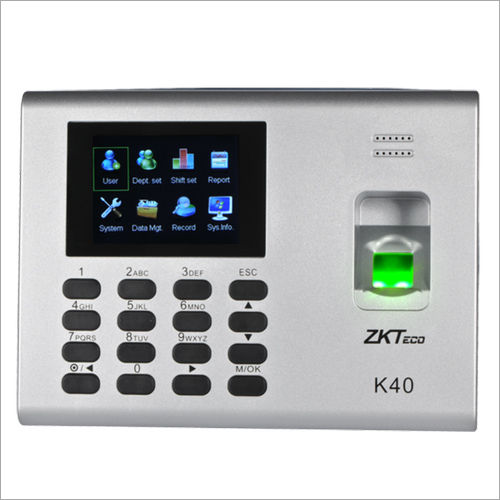
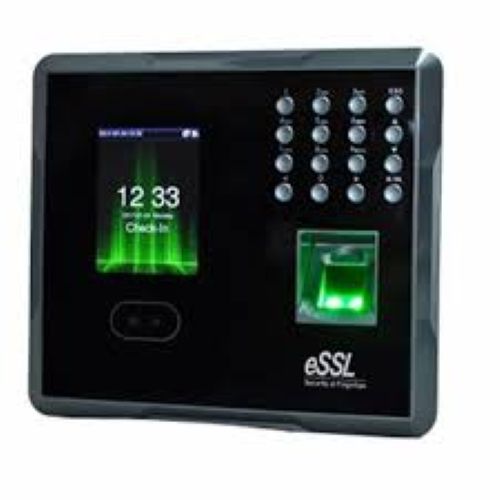
About ZKTECO K40 PRO Time Attendance Machine
Other Detail:
|
Model Name/Number
|
K-30
|
|
Battery Backup
|
YES
|
|
Display Type
|
Keypad
|
|
Language
|
English
|
|
Power Source
|
Power Adapter
|
We Deal All types Of Biometric Machines
- Biometric Attendance System
- Biometric Access Control System
- Biometric System
Cutting-Edge Attendance ManagementThe K40 PRO brings seamless attendance tracking with advanced fingerprint recognition and EM RFID card support. Its optical sensor ensures accuracy and durability, making it reliable for daily operations. The devices extensive user and log capacity is designed for medium to large organizations that seek consistent and rapid transaction processing, ensuring smooth time management in workplaces.
Adaptable and User-Friendly FeaturesBuilt to withstand varied temperature and humidity levels, the K40 PRO functions effectively across different environments. Its multilingual interface and intuitive voice guidance make it accessible to users from diverse backgrounds. The easy firmware upgrade process through USB and compatibility with external bell systems further enhance its usability for Indian businesses.
FAQs of ZKTECO K40 PRO Time Attendance Machine:
Q: How do I register users on the ZKTECO K40 PRO Time Attendance Machine?
A: To register users, navigate to the device menu and follow the prompts to enroll fingerprints or EM RFID cards. The optical sensor captures fingerprint data accurately, and up to 3,000 users can be registered.
Q: What is the process for upgrading the firmware?
A: Firmware upgrades are performed via a USB flash drive. Simply load the latest firmware onto the USB, insert it into the device, and select the upgrade option from the settings menu.
Q: When is the backup battery used in the K40 PRO, and is it mandatory?
A: The built-in backup battery (optional) provides power during outages. It is not mandatory but highly recommended for uninterrupted attendance tracking, especially in areas prone to power disruptions.
Q: Where can the K40 PRO Attendance Machine be installed?
A: The device is suitable for installation in offices, factories, schools, and other workplaces across India. Its tolerance for both varying temperature and humidity conditions supports flexible placement indoors.
Q: What are the benefits of using the K40 PRO for attendance management?
A: The K40 PRO delivers fast transaction speeds, stores a large number of user logs, and allows easy integration with external bells. These features facilitate accurate time tracking and streamline workforce management.
Q: How does the K40 PRO indicate successful transactions?
A: The machine provides audio output through a buzzer and voice indication, confirming each registered attendance for user convenience and reducing possibility of errors.
Q: Which type of RFID card is compatible with the K40 PRO?
A: The K40 PRO supports EM RFID cards operating at 125KHz, enabling contactless attendance marking for added flexibility and efficiency.

 Send Inquiry



 Send Inquiry

 Send Inquiry
